Delphi Tips(3) デスクトップ通知(DevExpress VCL AlertWindowsManager)を試してみた
Outlookの新着メッセージのデスクトップ通知のようなものを探していたが、標準ではなさそうなので、
DevExpress VCLのコンポーネントで試してみた。
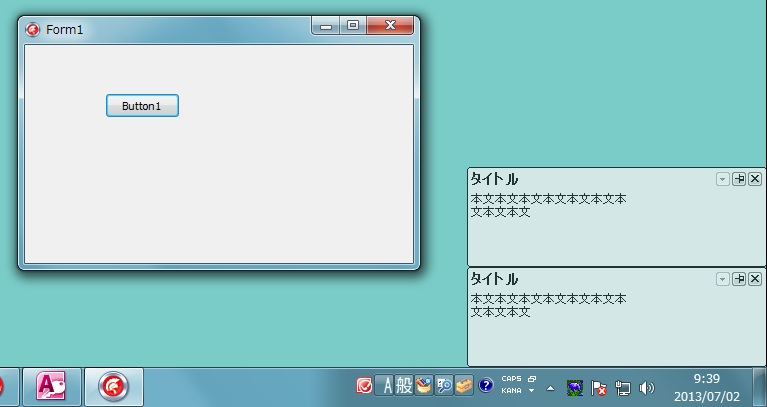
◆ソース TButton,TdxAlertWindowManagerを張り付ける
unit Unit1;

interface

uses
  Winapi.Windows, Winapi.Messages, System.SysUtils, System.Variants,
  System.Classes, Vcl.Graphics,
  Vcl.Controls, Vcl.Forms, Vcl.Dialogs, cxLookAndFeelPainters, cxGraphics,
  dxAlertWindow, Vcl.StdCtrls;

type
  TForm1 = class(TForm)
    Button1: TButton;
    dxAlertWindowManager1: TdxAlertWindowManager;
    procedure Button1Click(Sender: TObject);
    procedure umMyMessage(var Message: TMessage); message WM_ACTIVATEAPP;   //メモリの廃棄
  private
    { Private 宣言 }
  public
    { Public 宣言 }
  end;

var
  Form1: TForm1;

implementation

{$R *.dfm}

procedure TForm1.Button1Click(Sender: TObject);
begin
  dxAlertWindowManager1.OptionsAnimate.ShowingAnimation := awaFade;  //表示アニメ:フェイドイン
  dxAlertWindowManager1.OptionsAnimate.ShowingAnimationTime := 2000; //表示アニメ時間
  dxAlertWindowManager1.OptionsAnimate.HidingAnimationTime := 5000;  //消去アニメ時間
  dxAlertWindowManager1.OptionsBehavior.DisplayTime := 10000;        //表示時間
  dxAlertWindowManager1.OptionsSize.AutoHeight := true;              //高さ自動調整
  dxAlertWindowManager1.OptionsSize.Width := 300;                    //幅サイズ
  dxAlertWindowManager1.Show('タイトル', '本文本文本文本文本文本文本' + #13#10 + '文本文本文'); //デスクトップ通知を表示する
end;

procedure TForm1.umMyMessage(var Message: TMessage); //メモリの廃棄
var
  I: Integer;
begin
  if Message.WParam = WA_INACTIVE then
    for I := dxAlertWindowManager1.Count - 1 downto 0 do
      dxAlertWindowManager1.Items[I].Destroy;
  showmessage('destroy');                         //動作確認用のメッセージ
end;

end.
2013/07/06追記
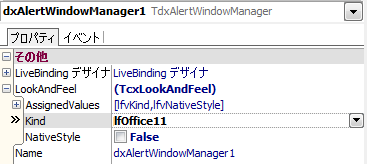
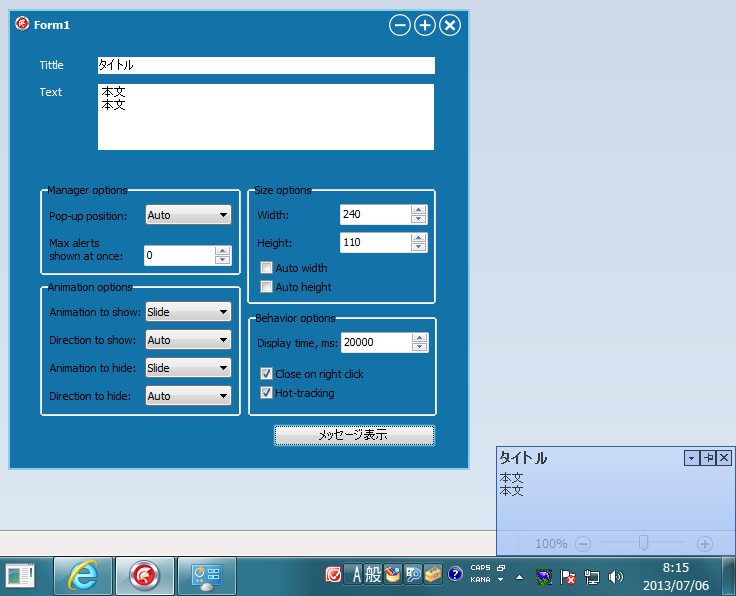
デスクトップ通知の色が下記の設定で変更できることがわかった。ただ、2色しかない(ー_ー)!!
もう少しいろんな色で表示できるとありがたいのだが...